Talon ClawTalon Studio v1.0.2-beta
Talon Claw
AI detection-engineering agents that read your evidence and threat intel and propose detections, tunings and investigations. No agent can approve, merge or deploy.
What it is
Talon Claw is a system of specialised AI agents for detection engineering. They read your SIEM schema, threat intel and detections through a least-privilege toolset and propose work (draft detections, tunings, SOC findings) that a human reviews. No agent, interactive or autonomous, can approve, merge or deploy.
ChatProposalsAgentsSkillsKnowledge graphMCPPropose-only
How it works
Prompt layering. An immutable system prompt (the security boundary) sits above a per-agent role instruction and trusted procedure playbooks, both defined in code. Below them come recalled feedback lessons, framed as untrusted data, and, lowest of all, the operator-editable agent file, which is handled as clearly delimited data and cannot grant capabilities.
Agents. Talon Assistant plus ten specialists: Detection Engineer, Coverage Analyst, Data Engineer, Threat Hunter, Cyber Intel Analyst, Threat Modeler, Triage Analyst, SOC Analyst, Reviewer and Operations. All are propose-only. See Agents.
Tools (guarded and audited): SIEM read (list_streams, siem_search, siem_event_sample), authoring (propose_new_detection, propose_detection_edit, which stage a change request), intel (lookup_cve, lookup_mitre_technique, search_content_library), skills (search_skills, load_skill) and handoff_to_agent. A read-only user only ever gets the read tools.
Run loop. An agent iterates think → tool → observe, recording each step, and finishes by staging change requests for review.
Autonomous proposals. With the org's Claw coordinator switched on, a scan runs every CLAW_INTERVAL_MS (default 15 minutes) and routes each signal to an agent: coverage gaps to the Data Engineer (onboarding or CIM gaps), the Detection Engineer (gaps whose fix is build_detection) or the Coverage Analyst (everything else); noisy detections (low_precision), deploy failures, new KEV CVEs, KEV coverage gaps, rule-health findings and threat-intel report gaps to the Detection Engineer; validation failures to the Triage Analyst. Bounded by AGENT_MAX_CONCURRENT, AGENT_MAX_RUNS_PER_DAY, the token and cost budgets, and the AGENT_RUNS_DISABLED kill switch.
Per-workspace autonomy. Each workspace's Claw autonomy setting decides what happens next: Off (Claw does not operate there), Propose (the default: proposals queue for a person to approve) or Auto-dispatch (Claw starts the agent itself; you still review the change request).
Setup
1
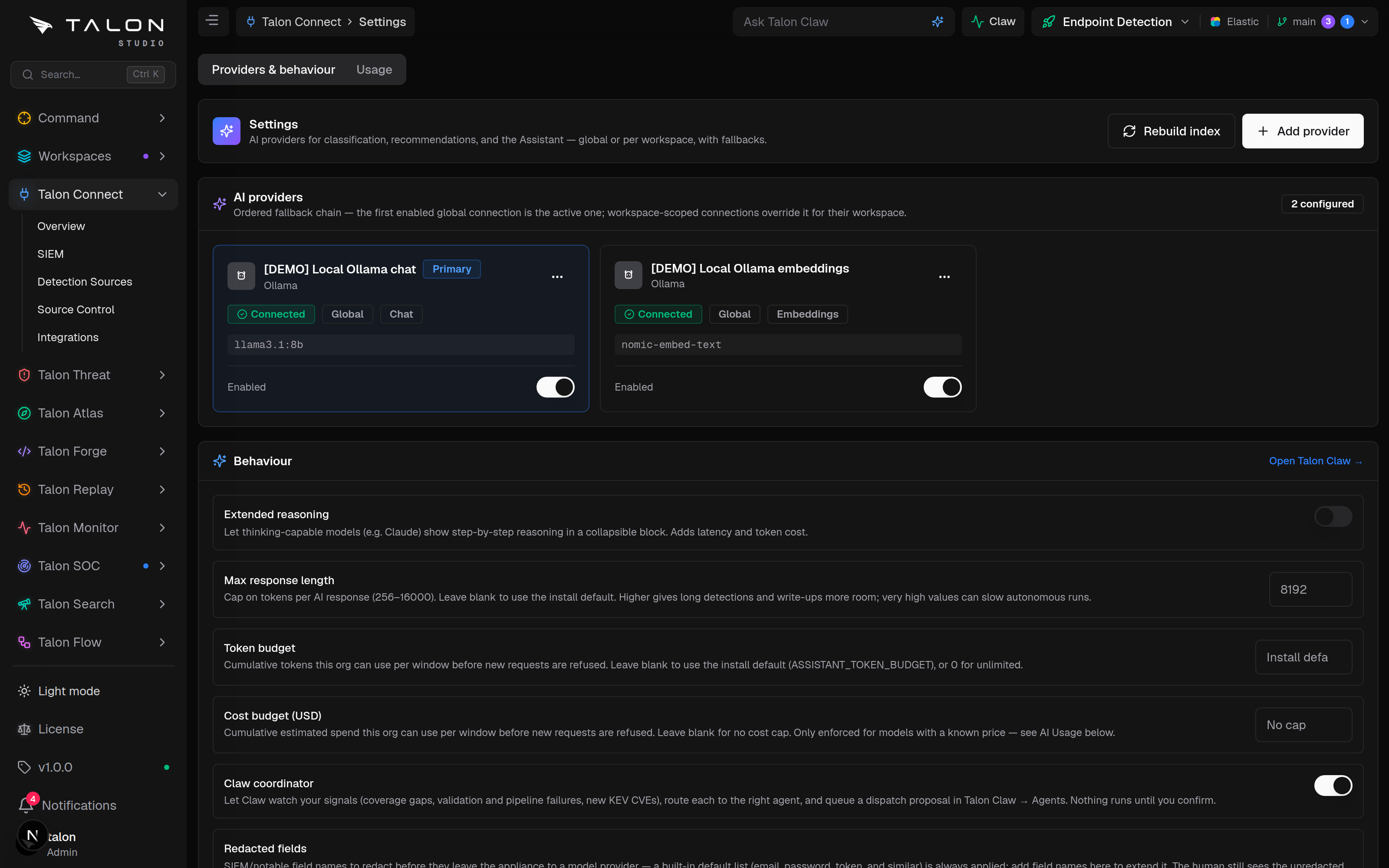
An admin adds an AI provider under Talon Claw → Settings (/connect/ai): Anthropic, OpenAI, xAI, one of eight OpenAI-compatible presets (Ollama, OpenRouter, Groq, DeepSeek, Together AI, Fireworks AI, Mistral, Google Gemini), or a custom self-hosted endpoint. Keys are encrypted at rest. See Settings.
2
Embeddings need no setup: a local model runs inside the app. It is downloaded from Hugging Face the first time it is used, and again whenever the container is recreated — every upgrade does that, and on Kubernetes so does every pod restart — so the appliance needs outbound access then, or you can point at your own OpenAI-compatible /v1/embeddings endpoint instead. Chat works without embeddings either way.
3
To have Claw raise proposals on its own, switch on Claw coordinator in the Behaviour panel (off by default), and set each workspace's Claw autonomy in its workspace settings (Workspace → Organisation).
4
Optionally connect MCP servers under Settings → MCP (admins) to give agents external tools; write actions proposed through them wait for a person to approve them.
Community Edition
Claw has no licence gate. Chat, proposals, the built-in and custom agents, house skills and autonomy all work in the Community Edition. The Community Edition's limits elsewhere still bound what agents can propose: 2 users, 1 workspace, 1 SIEM connection, 1 deployment target, deploys from main only. Talon SOC, where "Investigate with AI" runs, needs Enterprise, which is in development. See Licensing.
Usage
Chat (/claw): ask a question; responses stream with the tool calls the agent made.
Proposals (/claw/proposals): review queued suggestions (New KEV, KEV gap, Coverage gap, Validation failed and more). Approve & assign dispatches the routed agent, whose run stages change requests for review; Dismiss clears the rest.
Overview (/claw/overview): activity, spend, recent runs and a live feed.
Agents, Skills and the Brain: tune agents at /claw/agents, browse and author playbooks at /claw/skills, and explore the Brain, the graph the agents reason over, at /claw/knowledge. In a Talon SOC case, "Investigate with AI" dispatches the SOC Analyst and posts its findings to the case.