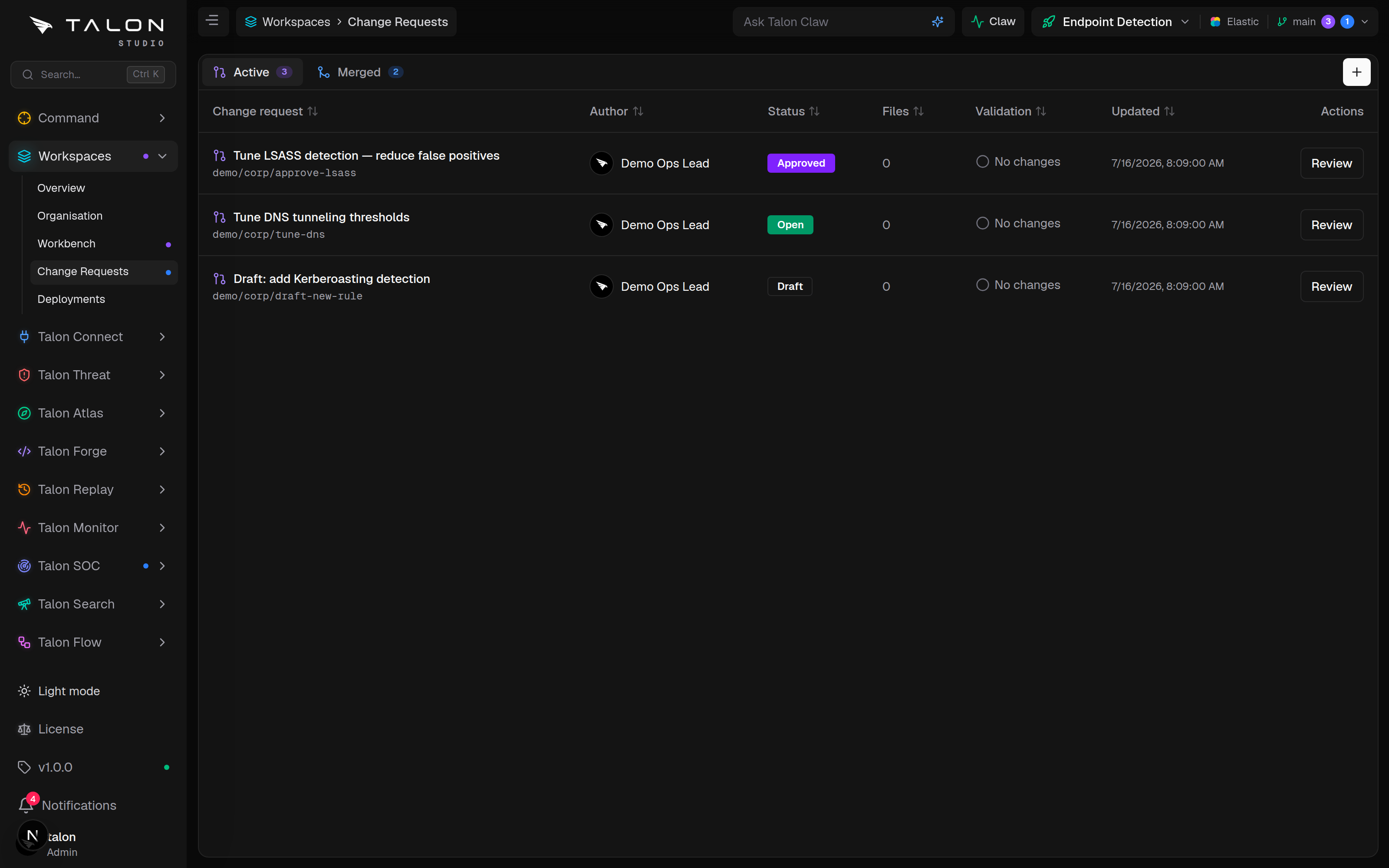
Every reviewed edit is a change request: a branch, a manifest of what changed, automatic validation, a configurable review policy, and a governed merge to main.
The CR workflow
A change request rides its own branch, auto-named changes/<id8>-<slug> for a person's change or agent/<slug>-<id8> for an agent's, and carries a manifest of the files changed, the detections affected, validation results and reviewers. Its status moves Draft → Open → Approved → Merged, or Closed. Change requests from Claw agents are opened for review automatically; those staged by Talon Flow, including saved automations, start as drafts.
1
Create the branch with New branch… (or + on Workspace → Change Requests), commit your edits to it from the workbench, then click Open for review. A change request needs at least one committed change to open.
2
Validation runs automatically when a change request opens and whenever a commit lands on its branch; Re-validate runs it again. The gate is ready when every affected detection has a passing validation on the latest commit, the change meets any detection standard set to block, and, if AI review is blocking, the Reviewer agent has approved the latest commit.
3
If main has moved on, Update branch rebases the change request when none of its files changed on main too; otherwise Recreate off main starts it again from the current main.
4
Assign a reviewer, discuss, and iterate on the branch until the change is ready.
Review & merge
The review policy decides what approval means. An admin sets the organisation defaults under Settings → Users & teams → Teams & access → Change request review policy; a workspace owner can adjust them for one workspace under Review policy in its workspace settings. With Enforce for all workspaces on, a workspace can only tighten the defaults, never loosen them.
Approvals required to merge
1–5. Default 1.
Block self-approval
Authors cannot approve their own change requests, including ones an agent opened on their behalf. Default off.
Require an assigned reviewer
A reviewer must be assigned before anyone can approve. Default off.
AI review
Off, On request or Auto on open: the Reviewer agent reads the diff and posts findings and a verdict to the discussion. Defaults to Auto on open when the Claw coordinator is on, otherwise Off.
AI review blocks merge
Merges wait until the Reviewer agent approves the latest commit. Advisory when off, which is the default.
Approval. Approving needs the approve permission (engineer and owner hold it by default; an org analyst does not), and is possible only while the gate is ready. The change request becomes Approved once it has the required number of approvals.
Assigned reviewer. With one approval required, only the assigned reviewer's approval counts; anyone else, even another owner, has to reassign the change request first. With more than one required, others can approve too, but the assigned reviewer must be among them.
Merge to main.Merge needs an approved change request and a ready gate. It writes one commit to main, deletes the branch, updates the detections and workspace configuration from the merged files, re-validates the merged detections, rebuilds the release package, pushes to your Git mirror if Auto-push is on, and fires any Change request merged flows.
Workspace → Change Requests, with Active and Merged tabs. Review opens a change request's diff, validation and discussion; Approve unlocks once the gate is ready, and Merge lands the branch on main.
No cap on branches
No edition limits branches or open change requests: the review workflow is the same in the Community Edition. What the Community Edition limits is deployment, which happens from main only (see Deployments).