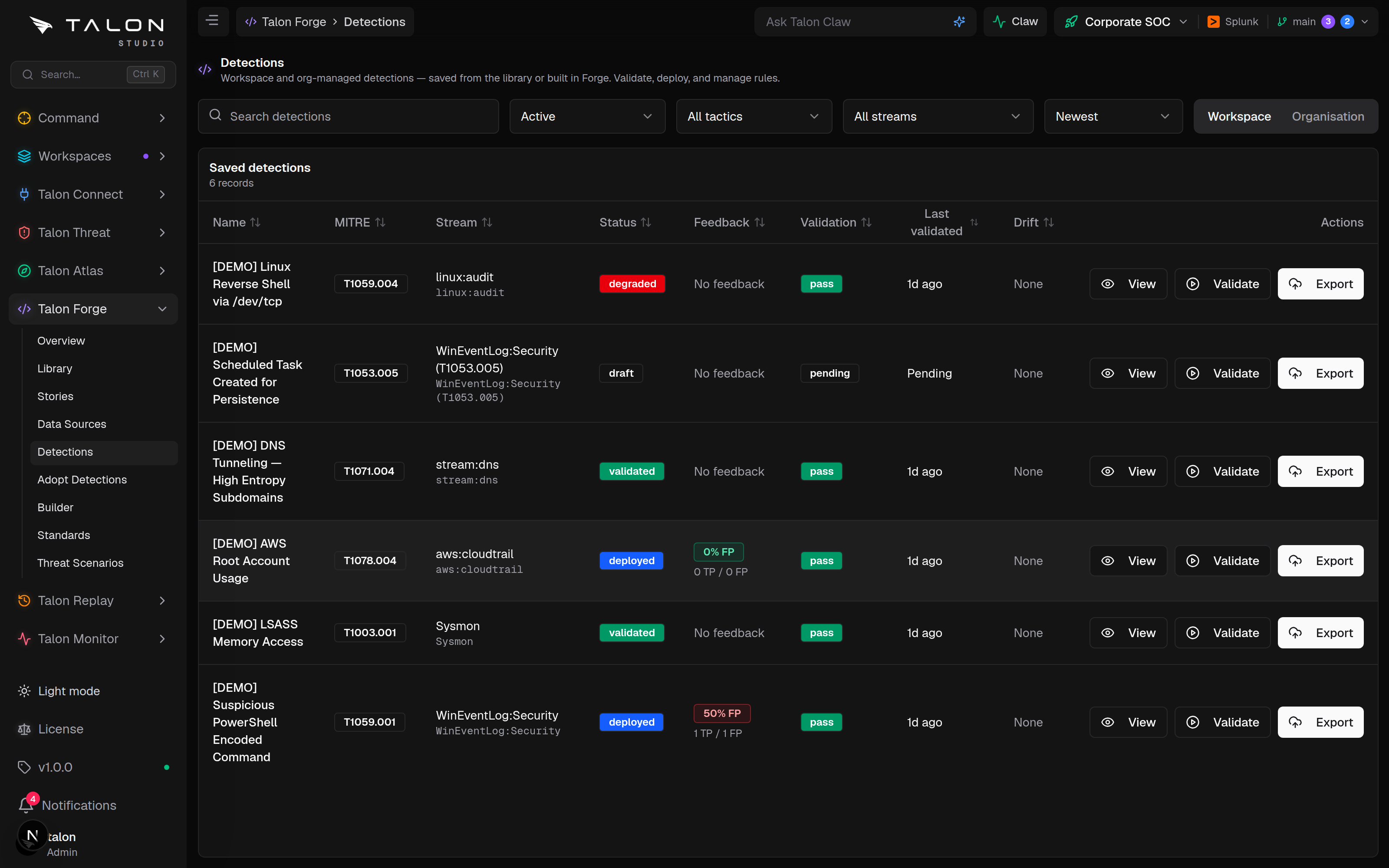
The workspace's rule inventory — status, validation, feedback and drift per detection — plus the Organisation tab: canonical org-managed detections rolled out across workspaces through change requests.
Workspace tab
/forge/detections lists the active workspace's detections on the active branch: MITRE mapping, stream, status, feedback (false-positive rate from triage outcomes), latest validation result and drift (a previously-passing rule now failing validation). Filter by status (Active, All, Draft, Validated, Degraded, Deployed), tactic or stream; sort by newest, match score or last validated. Row actions: View, Check readiness (runs an environment-readiness check and, when it passes, builds the package) and Export. Firing tests — simulation and backtest — are on the detection's own page.
Two things to know
The list is scoped to the active workspace and active branch, and the status filter defaults to Active — drafts stay hidden until you widen it. And the row's Export action runs the deploy path (it can push to a connected SIEM), not a plain file download.
The Workspace tab: per-detection MITRE mapping, stream, status, feedback (FP rate from triage outcomes), latest validation and drift, with View / Check readiness / Export row actions.
Organisation tab
The Organisation tab manages canonical detections at org level. Open any detection and choose Promote to org — the content is lifted into a versioned org record, and the original becomes a linked copy. Each canonical row shows its version, rollout count, and sync state per workspace: In sync, N behind (the copy is on an older version) or Not deployed.
Push rides change requests. "Push to N behind" opens a governed change request in each target workspace — the behind count drops only when each workspace reviews and merges. Nothing is written into a workspace directly.
Edit once, push many. Editing a linked copy and pushing bumps the canonical version; a locally-edited copy at the latest version counts as diverged and is skipped unless you explicitly overwrite.
Stop managing is safe. Deleting the canonical leaves every workspace copy in place as an independent detection.
Two kinds of drift
The Workspace tab's Drift column is behaviour drift (validation started failing); the Organisation tab's behind is version drift (the copy is older than the canonical). Different signals, different fixes.
Community Edition
The Community Edition has one workspace, so an organisation-managed detection has only that one workspace to roll out to. The tab still works as a versioned, canonical record of the rule.