Talon FlowTalon Studio v1.0.2-beta
Talon Flow
Automate detection-engineering workflows with triggers, nodes and branching. Flows are Git-backed, and nothing a flow does reaches your detections until a human merges it.
What it is
Talon Flow is a visual workflow engine for detection engineering, built around Talon's own primitives and its propose-only safety model. Wire a trigger to nodes on a canvas to react to events (a new KEV, a validation failure, a merged change request) and act on them: search, notify, open a board task, or draft a detection for review.
TriggersNodesBranchingBlackboardPropose-onlyExecutions
How it works
Triggers. Each flow has one: Manual, Schedule (every 15 minutes, hour, 6 hours, day or week), Webhook (POST /api/flow/hook/<token>), or one of seven platform events: Change request merged, Validation failed, Deploy failed, SOC alert landed, New KEV CVE, New coverage gap and Kanban card. See Triggers.
Nodes. 49 node types: 24 built-in read, logic and action nodes (lookup_cve, if, switch, loop, run_search, notify, run_agent, propose_change_request, create_card and more), plus 25 tool-adapter nodes that wrap the same read, propose and SIEM tools the Claw agents use. See Nodes & data.
Blackboard. Node outputs merge into one JSON object; downstream nodes reference upstream data with ${nodeId.field} and ${trigger.field}.
Execution. A topological walk (Kahn's algorithm) with branch-skip propagation. Each node has a timeout (FLOW_NODE_TIMEOUT_MS, default 120 s) and 0–5 retries; the whole run has a wall-clock budget (FLOW_RUN_TIMEOUT_MS, default 900 s), after which no further node starts. Every real run is recorded as an agent run with one timeline step per node, and Test run dry-runs the graph without side effects.
Git-backed. A workspace flow is a YAML file, agents/skills/<slug>.yaml, in the workspace repository. Saving a flow stages that file on a draft change request; it becomes runnable when the change request merges.
Propose-only governance
A flow never merges or deploys. Nodes that change Talon content (propose_change_request, propose_new_detection, propose_detection_edit) stage a draft change request for a human to review; create_card adds a task to the workspace board; propose_siem_action queues a SIEM change for a person to apply. Searches, lookups, HTTP GETs and notifications run directly: they read or send, and change nothing in Talon.
Setup
1
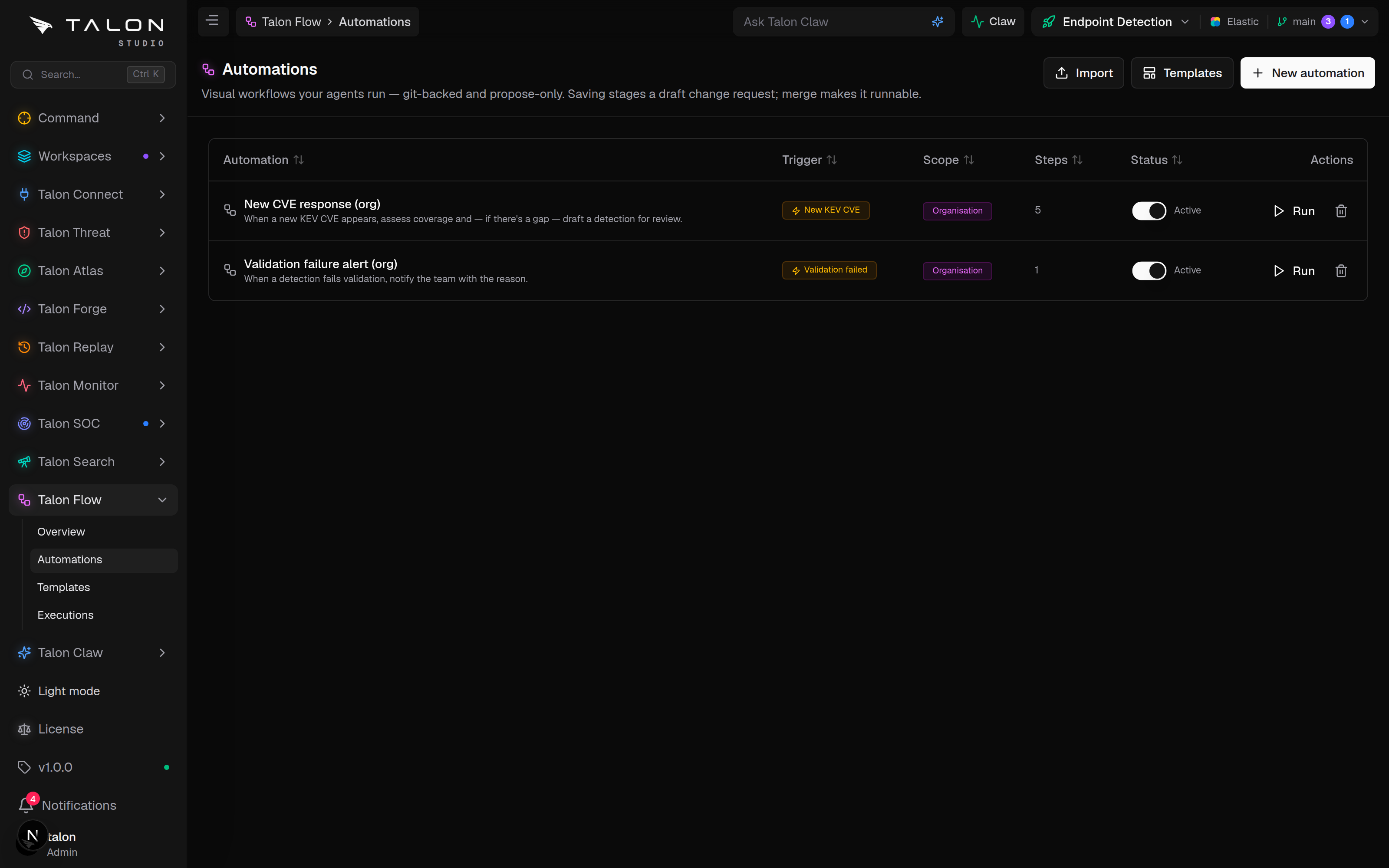
Open Talon Flow → Automations (/flow/automations) and click New automation, start from Talon Flow → Templates, or Import a YAML or JSON file. Building and saving flows needs the engineer role in the workspace.
2
Pick a trigger, add nodes, connect their edges and fill each node's parameters, referencing upstream outputs through the data picker. Or describe the automation in the prompt bar and click Build with AI.
3
Choose the scope and click Save. Workspace (the default) stages the flow on a new draft change request titled "Save automation: <name>": open it for review and merge it under Workspace → Change Requests, and the flow then appears in Automations. Organisation stages the file in the organisation's configuration instead; an admin commits it under Settings → Organisation, and it then shows in every workspace.
Usage
1
In the builder, click Test run to dry-run the graph and inspect each node's input and output. Logic and read-only lookups run for real; searches, HTTP requests, notifications, agent runs, board tasks, LLM calls and propose steps are stubbed, so no tokens are spent and nothing is staged.
2
Once merged, a flow is Active by default. The Active toggle gates the automatic triggers; the Run button in the Automations list starts a flow by hand either way. Only workspace-scoped flows fire automatically.
3
Watch runs at Talon Flow → Executions (/flow/executions); open a run to see its per-node timeline and any change requests it proposed.
What a flow needs to run
Manual runs, test runs, schedules and webhooks need an AI provider configured under Talon Claw → Settings. An event-triggered flow needs one only if it contains draft_detection, llm_call, run_agent, subflow or loop; a pure notify or board-task flow fires without one. Schedules also need the org's Claw coordinator switched on, because they are evaluated inside the Claw scan.