Slack-style channels and direct messages inside Studio: one #general for the whole organisation, a private channel for each workspace, and links to the records you are talking about.
What it is
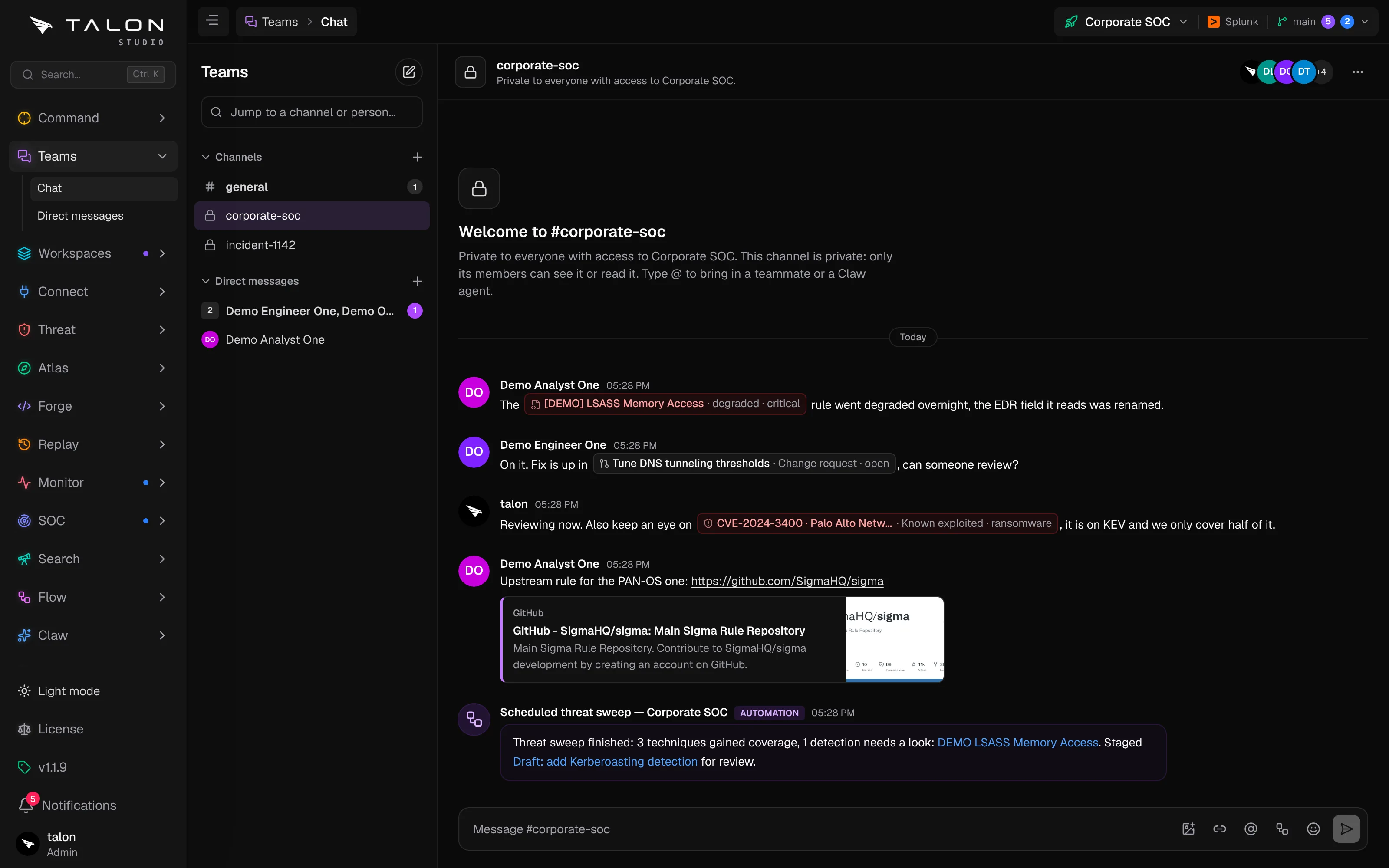
Teams is the chat built into Studio. It sits second in the sidebar with two pages: Chat (/teams), which lists channels and direct messages in one Slack-style list, and Direct messages (/teams/dms), which lists only the people you talk to. The page fills the screen: the list on the left, the conversation across the rest. The Teams entry in the sidebar shows your unread count, purple when some of it is a direct message or an @mention, and a toast appears when one arrives.
A workspace's private channel. [[ links show as chips with their live state (red for a degraded detection or a CVE on CISA KEV), a link unfolds into a preview, and an automation's post sits in a purple box marked Automation.
Channels
#general belongs to the whole organisation. Everyone is in it, and it can't be renamed, made private or deleted.
A private channel for each workspace, named after the workspace. Its members are the people with access to that workspace: someone given access is added, and someone whose access is removed is taken out, within about a minute. Like #general it is locked: no renaming, no making it public, no deleting and no editing its members by hand.
Your own channels.+ beside Channels opens Create a channel: a name, an optional topic, and Make private with the people to add. A public channel is open to everyone in the workspace; Browse channels lists the public ones you haven't joined. A private channel can only be read by its members, admins included.
Messages all sit on the left, Slack style, with reactions under each one. Hover a message to react, edit or delete it.
Upgrading from v1.1.9
In v1.1.9 each workspace had its own #general. Upgrading makes it that workspace's private channel, renamed after the workspace the first time someone opens Teams there, and keeps its messages.
Direct messages
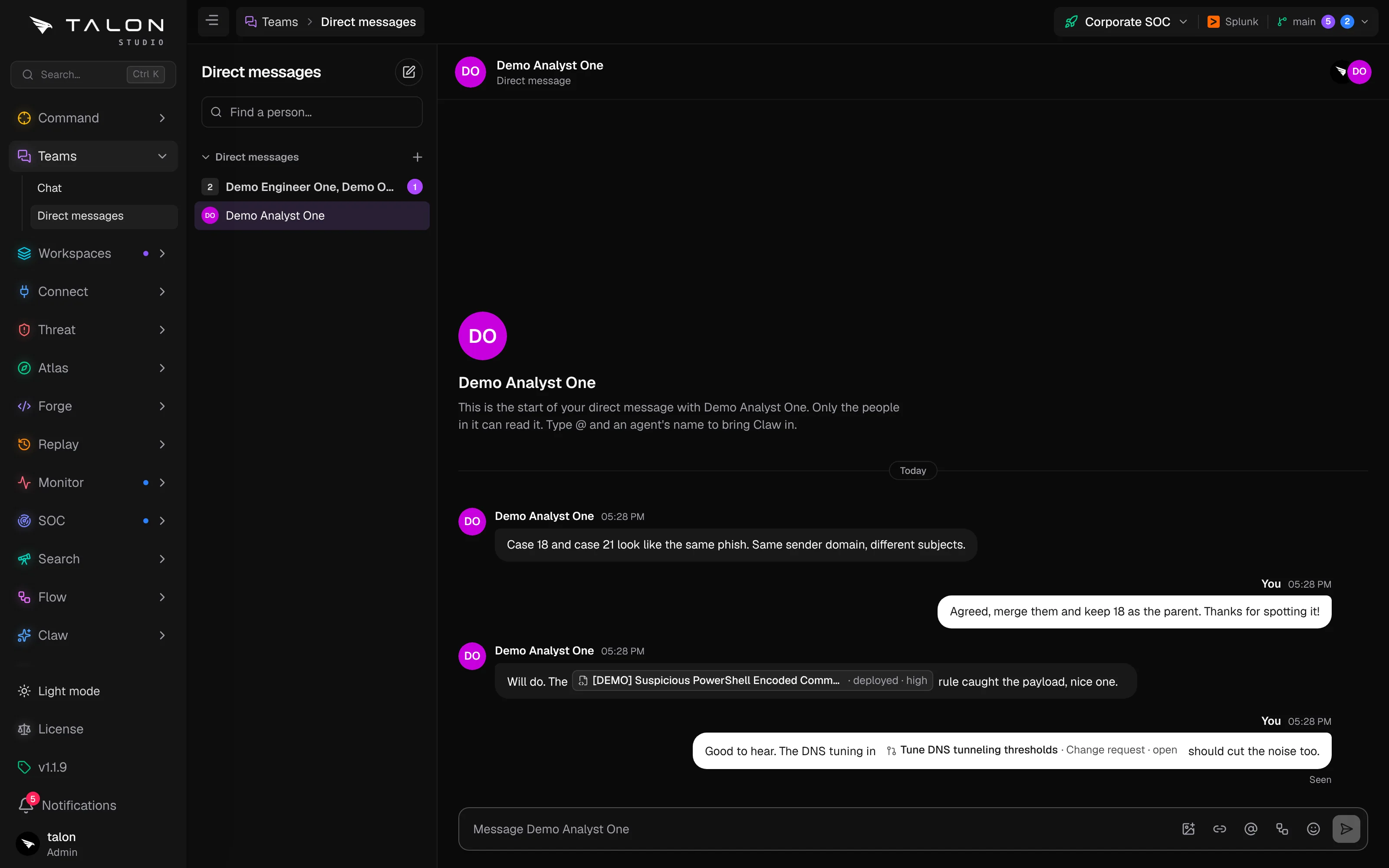
The pencil button, or + beside Direct messages, starts a conversation with one person or a group of up to eight. Only the people in it can read it, admins included. Direct messages are bubbles: yours on the right, theirs on the left, with Seen under your last message once they have read it.
Direct messages on their own page, with record links working the same as in a channel.
Who can do what
teams:view
Every role, Read-only included: read public channels in workspaces you can reach, post, react and send direct messages.
teams:edit
Analyst and up: create channels, and rename, re-topic or delete the ones you made.
teams:admin
Admin: change or delete any channel and remove anyone's message. The default channels stay locked.
claw:operate
Bring a Claw agent into a conversation with an @mention.
Operate · Automations
Run an automation from the message box.
Custom roles saved before v1.1.9 have none of the teams permissions ticked; tick them under Settings → Users & teams → Roles. See Users & teams.
Channels in Git
Channel names, topics and the members of private channels are kept in the organisation's configuration repository, in Teams/channels.yaml. Each change is its own commit ("Teams: create #detection-reviews"), which leaves any other staged changes alone, and the default channels are listed with default: true and no members, since workspace access decides those. Messages are not in Git. If a workspace's channels are missing from the database, Studio restores them from the file.